Koapath for trainees
Get the Koapath app
No store download needed. Open Koapath in your phone's browser and add it to your home screen — it opens full screen with its own icon, like any other app.
On a computer? Open this page on your phone to install it.
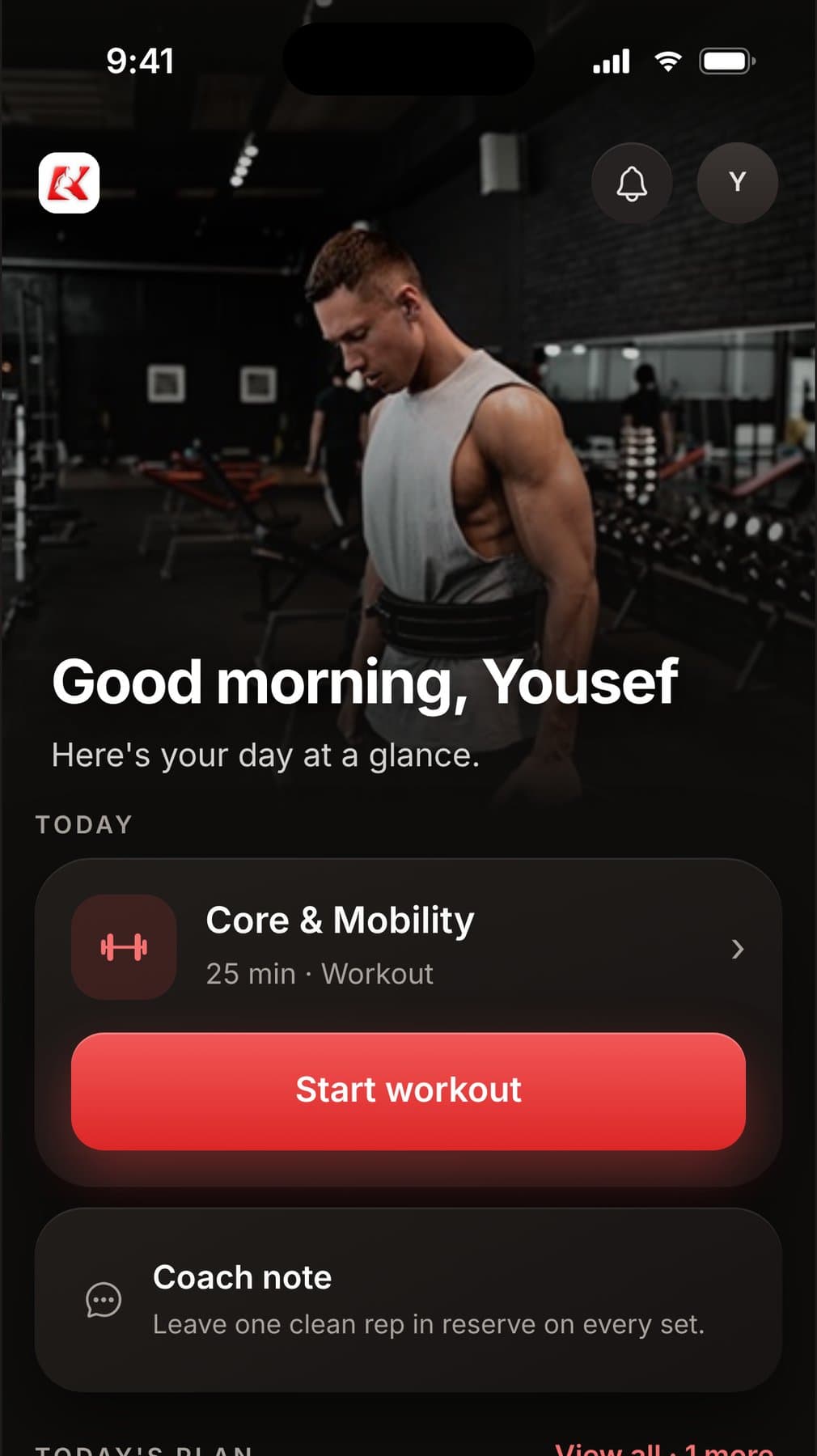
iPhone (Safari)
Use Safari — the browser with the blue compass icon.
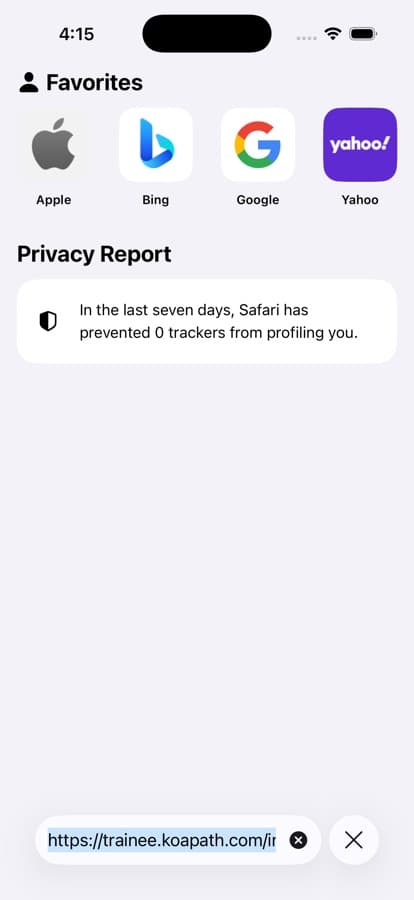
Open Koapath in Safari
Go to trainee.koapath.com, or tap “Open Koapath” above.
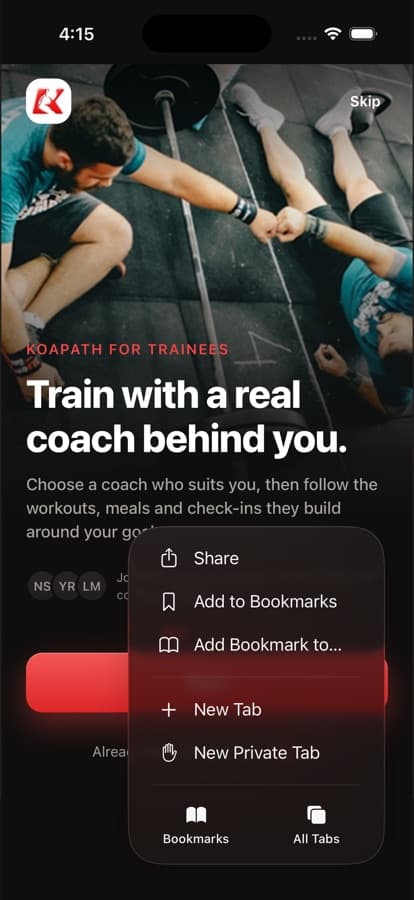
Tap the ••• button
It's at the bottom right of the screen. On older iPhones, tap the Share button (a square with an arrow) instead.
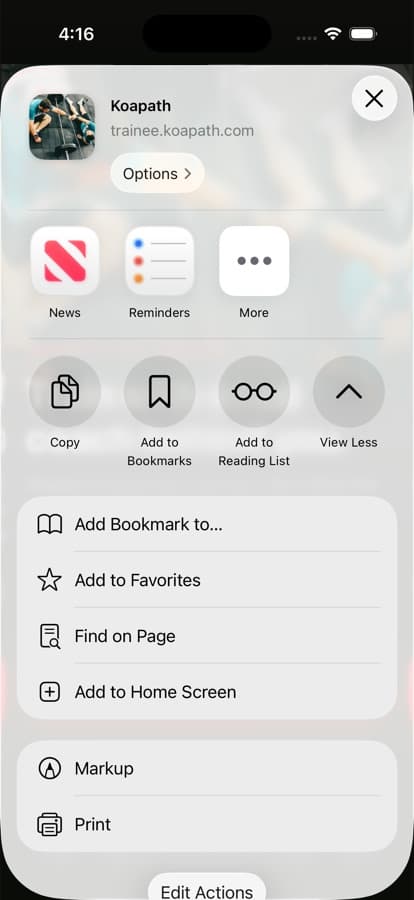
Tap Share, then “Add to Home Screen”
Scroll down the list if you don't see it straight away.
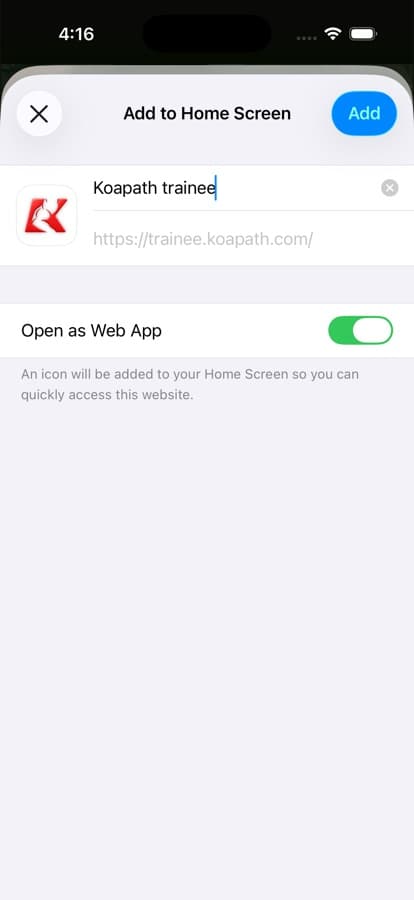
Tap Add
Leave “Open as Web App” switched on, then tap Add at the top of the screen.
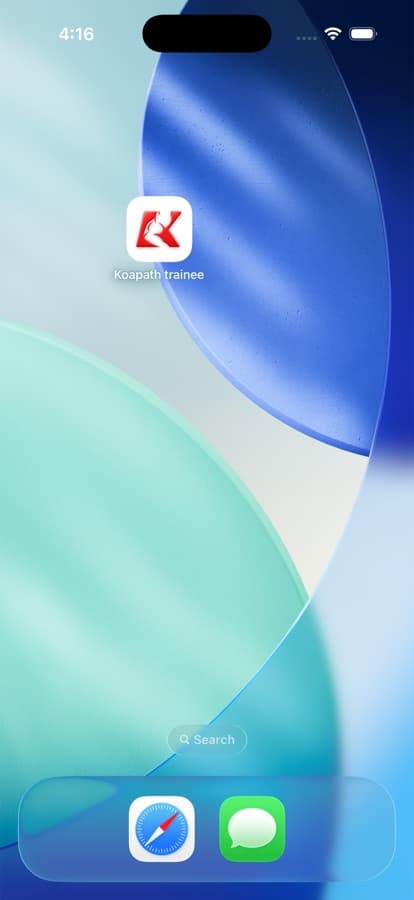
Open it from your home screen
Koapath appears there. Open it from that icon from now on.
Android (Chrome)
Use Chrome, the browser most Android phones come with.
- trainee.koapath.com
Open Koapath in Chrome
Go to trainee.koapath.com, or tap “Open Koapath” above.
- trainee.koapath.com
Tap the ⋮ menu
It's the three dots at the top right of the screen.
- trainee.koapath.comNew tabHistoryAdd to home screen
Tap “Add to home screen”
Some phones call it “Install app”. Either one works.
Add to home screen
 KoapathCancelInstall
Tap Install
Koapath appears on your home screen and in your app list.
Good to know
Is it the same as the store app?
Yes. It's the same Koapath — your coach, plan, check-ins and messages — and you sign in with the same account.
I don't see “Add to Home Screen”.
On iPhone, make sure you're in Safari, not inside another app's browser. If you opened the link from Instagram or WhatsApp, tap the ••• or compass icon to open it in Safari first.
How do I remove it?
Press and hold the Koapath icon, then remove it like any other app. Your account and data stay safe.